Know what is using your Internet.
ByteMonitor measures, second by second, what your PC receives and sends, application by application, and helps you stay within your data plan or top-ups.
- Free
- No account
- Data stays on your PC
- Under 40 MB
Version 0.46.3 · Windows 10 and 11 (64-bit) · free · under 40 MB of memory
Features
Everything you need to watch what goes in and out of your PC.
Live rates
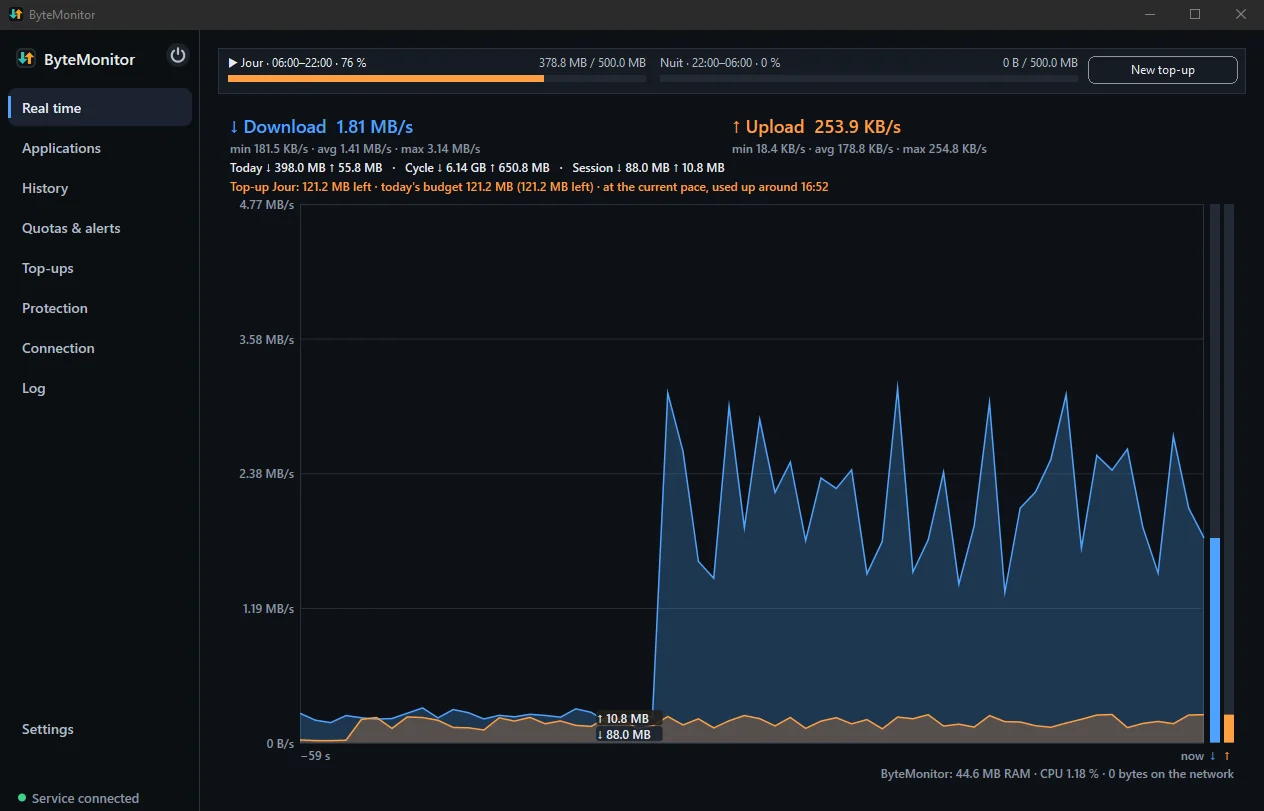
A discreet, always-visible widget: download, upload, latency and the curves of the last minutes.
Learn more : Live ratesPer application
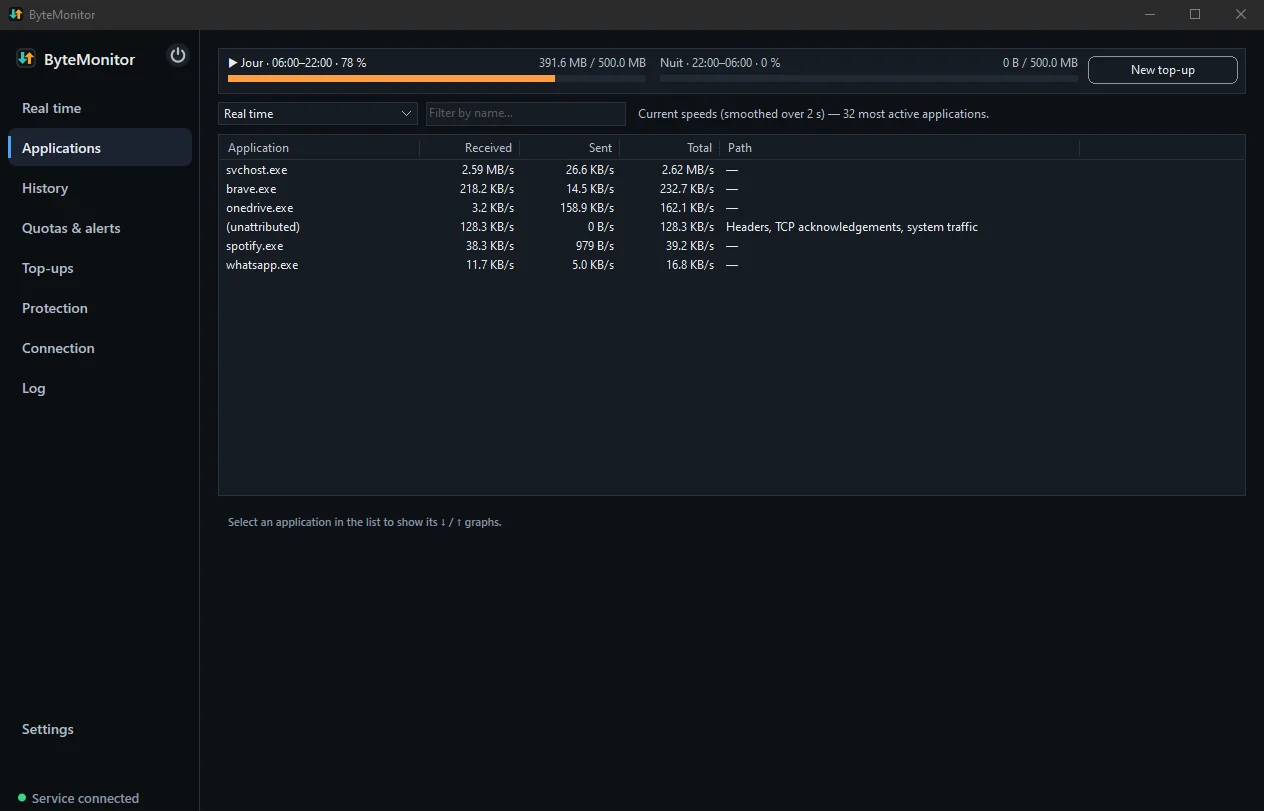
Who uses data, how much and when; history by hour, day and month; CSV, HTML and Excel exports.
Learn more : Per applicationPlans and top-ups
Quotas, billing cycle, prepaid top-up countdown and daily budget.
Learn more : Plans and top-upsProtection
Cut the Internet in one click, data saver mode, unusual traffic alerts, application blocking.
Learn more : ProtectionConnection quality
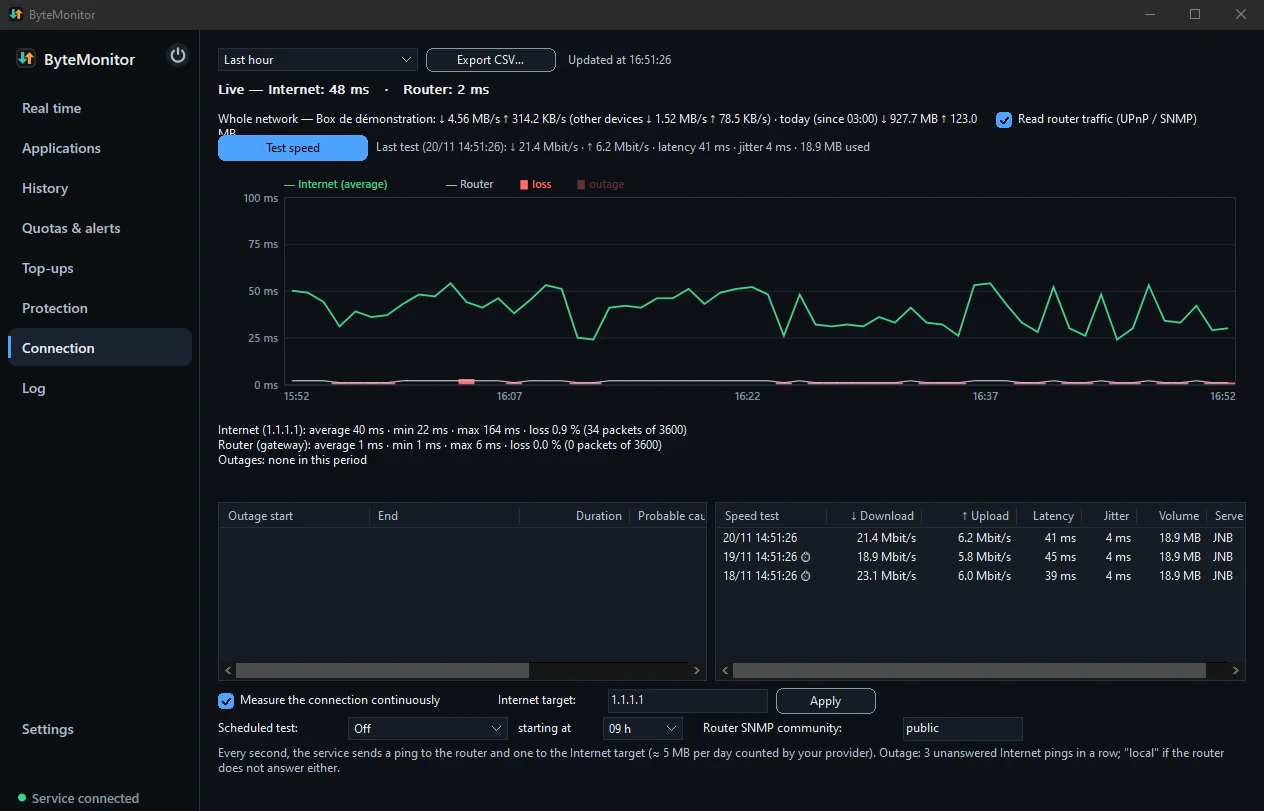
Router and Internet latency, outages with their likely cause, speed test.
Learn more : Connection qualityLog and files
Connections of each application and files received or sent, marked on the curves.
Learn more : Log and files
Preview
ByteMonitor in pictures (demo data).
Who is it for?
ByteMonitor helps whenever every megabyte counts or the connection raises questions.
- Mobile data plans and prepaid top-upsCountdown of each top-up with any carrier, daily budget, alert before running out.
- Phone hotspot and 4G routersTop-up tied to the Wi-Fi network that receives it; whole-network traffic read from a compatible router.
- Slow or unstable connectionContinuous latency, dated outages with their likely cause, schedulable speed test.
- Control of what leaves the PCEvery connection per application, files sent, unusual upload alerts, one-click blocking.
Free, with Pro coming
The free version includes everything during the launch phase. A paid Pro version will follow for advanced features.
| Feature | Free | Pro (coming) |
|---|---|---|
| Live rates, widget, history, applications | Yes | Yes |
| Quotas, top-ups, alerts, protection | Yes | Yes |
| Latency, outages, speed test | Yes | Yes |
| Whole network via the router (UPnP / SNMP) | Yes during launch | Yes |
| Automatic actions and e-mail alerts | Yes during launch | Yes |
| Log history, exchanged files, Excel export | Yes during launch | Yes |
Download ByteMonitor
Installs in two minutes; administrator permission is requested once for the measurement service.
- Download the installer and run it.
- If Windows shows “Windows protected your PC”: “More info” then “Run anyway”.
- Accept the permission and follow the setup: the widget appears at the bottom right.
- Answer the three questions of the plan assistant.
Requirements
- Windows 10 (22H2 or later) or Windows 11, 64-bit: x64 (Intel, AMD) or ARM64 (Snapdragon)
- Under 40 MB of memory, almost no CPU when idle
- English or French
Your data stays with you
No account, no telemetry, no data sent to ByteMonitor. Only the speed test, latency measurement and alert e-mails you set up use the network.
Frequently asked questions
Is ByteMonitor free?
Yes. The free version includes every feature during the launch phase. A paid Pro version will later offer advanced features; features already installed for free are not removed.
Does ByteMonitor send my data over the Internet?
No. There is no account, no telemetry and no advertising. Measurements stay on your PC. Only the speed test, latency measurement and alert e-mails you turn on use the network.
How can I see which app is using my Internet?
The widget shows live rates; clicking the curve shows the applications of that instant. The Applications page ranks every program by data received and sent, live or over a period.
Does ByteMonitor work with mobile data plans and top-ups?
Yes, with any carrier: daily and monthly quotas, billing cycle, countdown of prepaid top-ups tied to the Wi-Fi network that receives them, such as a phone hotspot.
Can it cut the Internet or block an application?
Yes. One click cuts all Internet access through Windows Firewall while the local network stays reachable. A single application can also be blocked, or cut automatically when a quota is reached.
Can it measure every device on the network?
Yes, if the router allows it: ByteMonitor reads its counters over UPnP or SNMP and shows the traffic of the whole network. A phone hotspot does not provide these counters.
What are the system requirements?
Windows 10 (version 22H2 or later) or Windows 11, 64-bit, on Intel, AMD or Snapdragon (ARM64) PCs. ByteMonitor uses under 40 MB of memory and almost no CPU when idle.
Why does Windows show a warning during installation?
The trial version is not digitally signed yet, so Windows SmartScreen shows “Windows protected your PC”. Click “More info”, then “Run anyway”.